
Grass Stamper is a dedicated stamper tool for filling terrain detail layers — grass, flowers, and mesh details — across a large area in one pass. You position and scale the stamper, configure your detail prototypes and mask filters, then click Spawn to paint every intersecting Unity Terrain automatically.

Fill every terrain tile in one pass

Grass Stamper iterates over all Unity Terrains that intersect the stamper bounds and writes detail density data for each one. No need to stamp each terrain tile individually — a single large stamper covers them all.

Mask filter visualization

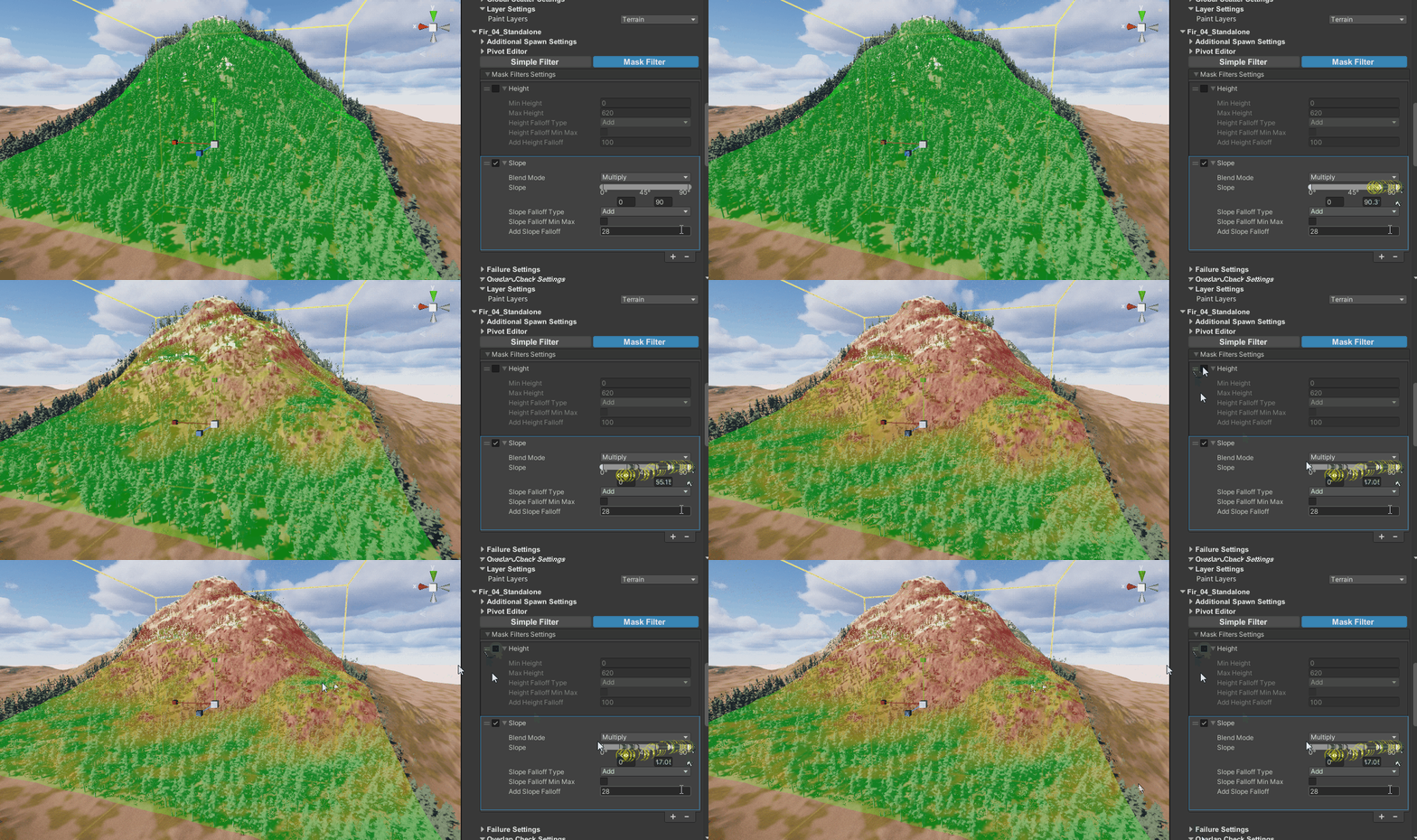
Enable Visualisation in the Stamper Tool Controller to preview the mask filter output directly in the scene view, so you can see exactly where detail will be painted before you spawn.

Auto Respawn for instant feedback

When Auto Respawn is on, Grass Stamper re-runs the pass every time you change a setting — including changes to individual Terrain Detail prototypes. This means tuning a noise filter on a single grass type instantly updates that layer in the scene without affecting the others. Grass Stamper Auto Respawn updating grass density live as settings change.
Per-prototype mask filter control

Each Terrain Detail prototype in the Group has its own Mask Filters block. This lets you layer multiple detail types in the same Group with completely independent placement rules — for example, tall grass on slopes and short grass on flat ground, all driven by the same stamper.

Works alongside Object Stamper

Groups in Grass Stamper are separate from object Groups but live in the same MegaWorld data system. Use Grass Stamper alongside Object Stamper so your vegetation detail and object placement share the same stamper workflow and can be tuned together.