
Types
A Type is a named container stored as a project asset. It groups prototypes of the same kind, such as a set of pine trees, a collection of rocks, or a group of grass textures. Types are reusable across tools. You create a Type once in your project and drag it into any tool’s selection.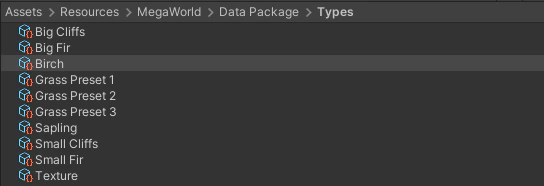
- Unity/GameObject — standard Unity prefab objects
- Terrain Object — objects managed through a custom renderer
- Unity/Terrain Detail — grass and mesh details on Unity Terrain
- Unity/Terrain Texture — texture layers on Unity Terrain
Prototypes
A Prototype is a single resource entry inside a Type. It wraps one asset — a prefab, a terrain layer, or a detail definition — and holds any prototype-level settings on top of it. Each Prototype has:- a unique ID used by MegaWorld to track it across tools;
- an Active toggle that disables the prototype without removing it;
- settings from the component stack, such as filter, transform, and overlap rules that apply to that prototype specifically.
How they work together
You bring a Type into the tool’s selection, and MegaWorld uses all active Prototypes inside it when spawning or painting. The tool works across all selected Types simultaneously, evaluating each Prototype according to its own rules.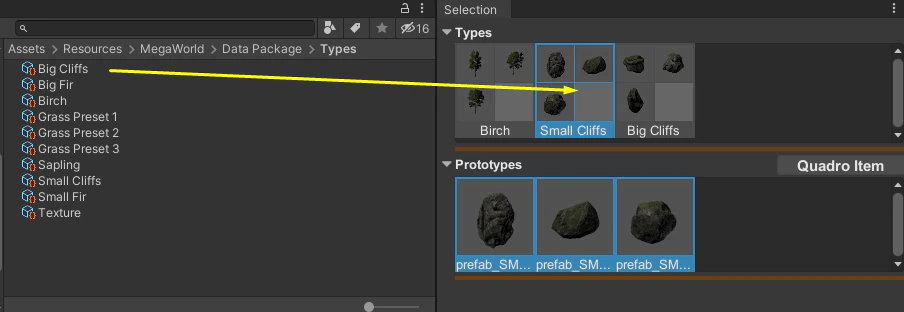
Resource kinds
| Resource kind | What it places | Requires |
|---|---|---|
| Unity/GameObject | Any prefab | — |
| Terrain Object | Prefab via custom renderer | Terrain Object renderer in scene |
| Unity/Terrain Detail | Grass or mesh detail | Unity Terrain in scene |
| Unity/Terrain Texture | Terrain layer / texture | Unity Terrain in scene |