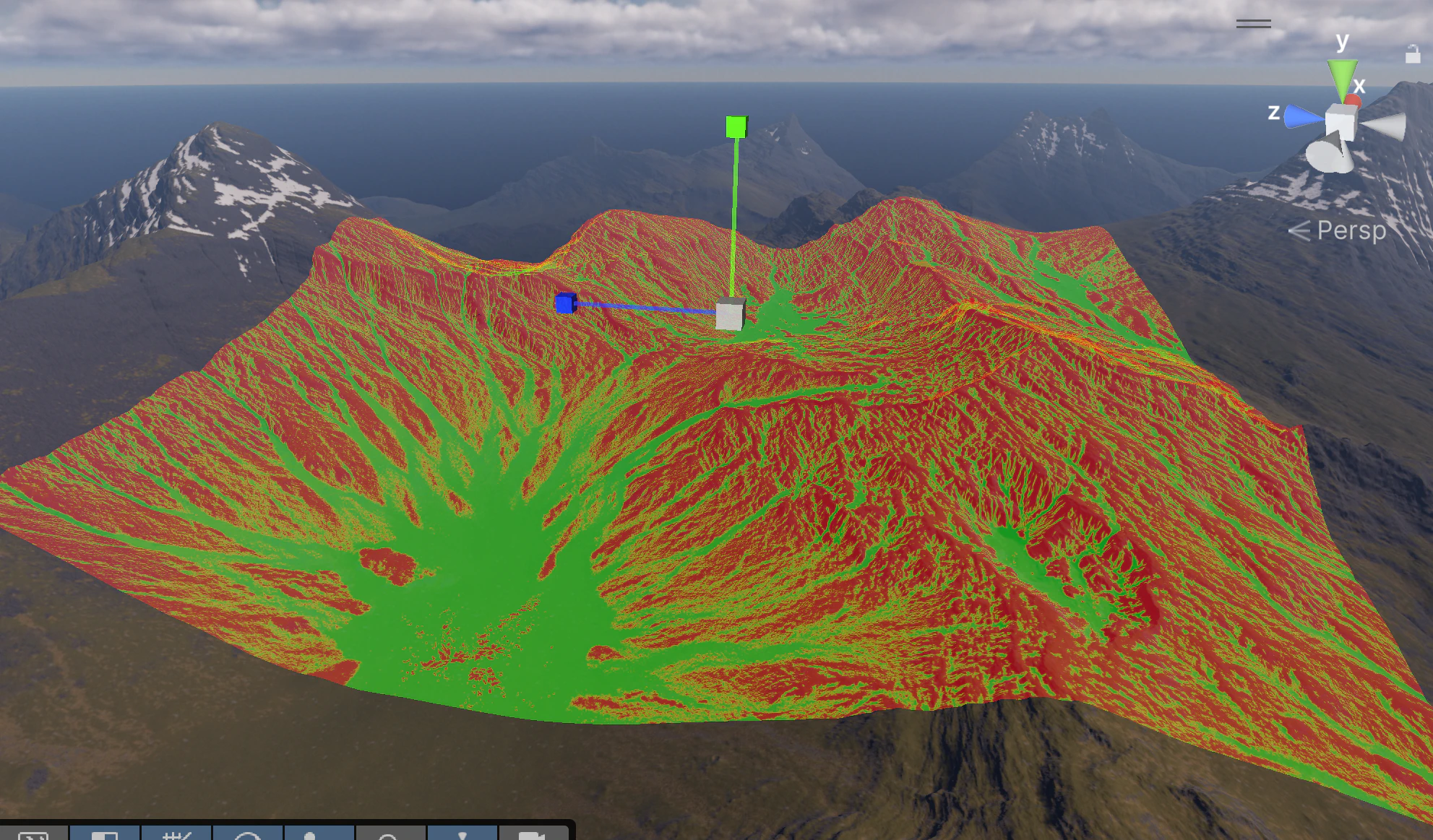
Mask filter stack
Every texture prototype has its own mask filter stack. Filters control exactly where each texture is painted — by slope, height, terrain texture already present, noise, or custom images. Filters are stacked and evaluated in order, so you can build complex rules such as “paint grass on flat areas, then multiply by noise to break up uniformity.”
 The filter result is visualized directly in the scene view — green areas will receive the texture, red areas will not.
Flexible area
The stamper area is not tied to any single terrain. You can freely move, rotate, and scale it in the scene to cover exactly the region you need — whether that is a small patch or multiple terrains at once.

Fit To Terrain Size
Click Fit To Terrain Size to instantly expand the stamper area to cover all terrains in the scene. This is the fastest way to run a global texture pass across an entire landscape without manually adjusting the area bounds.

Auto Respawn
Enable Auto Respawn and turn off Visualisation to see the actual texturing result update in real time as you change filter settings — every adjustment immediately re-stamps the area so you get direct visual feedback in the scene.
Work with a reduced area while tuning your settings. A smaller area re-stamps much faster, so you see the effect of each change almost instantly. Once the result looks right, expand the area or use Fit To Terrain Size for the final pass.
Unity Terrain tiles
Texture Stamper processes Unity Terrain using the GPU, so stamping speed does not degrade as terrain size grows. Whether your landscape is a single small terrain or a large multi-terrain grid, the tool completes the pass quickly regardless of total size.

Simple UI

Mask support with filter operators
Each prototype supports external masks — for example flow maps or custom weight maps — that can be fed directly into the filter stack as an Area Mask. On top of the raw mask you can chain filter operators such as Remap to compress, shift, or invert the mask range before it is combined with slope or height filters. This lets you drive texture distribution from authored data rather than purely procedural rules.