
Terrain Object Renderer is an optimized renderer for large terrain objects such as trees, bushes, rocks, and similar environment assets. It is designed for procedural generation workflows and manual editing tools that need more control than Unity Terrain Trees provide. The renderer uses GPU Instanced Indirect for high-performance rendering. It also supports object movement, spawning, deletion, raycasts, colliders, scripting, and terrain-cell data used by placement tools.Documentation Index
Fetch the complete documentation index at: https://docs.abberia.com/llms.txt
Use this file to discover all available pages before exploring further.
Some older screenshots and UI labels may use names such as Instant Renderer or Large Object Renderer. This documentation refers to the current tool as Terrain Object Renderer.
Features
See the main rendering, culling, collider, scripting, and terrain support features.
Get started
Learn the MegaWorld workflow, settings layout, prototypes, and scene settings.
Settings overview
Browse global settings, scene settings, prototype settings, and preferences.
Compatibility
Terrain Object Renderer supports most shaders and works with the High Definition Render Pipeline and Lightweight Render Pipeline. It automatically generates shaders with GPU Instanced Indirect support when possible. This lets you use optimized indirect rendering without writing the shader support by hand.Limitations
GPU Instanced Indirect cannot support every shader automatically. Terrain Object Renderer cannot automatically add support for:- Built-in Unity engine shaders. Terrain Object Renderer includes a standard shader with GPU Instanced Indirect support that can replace them.
- Shader files that are not
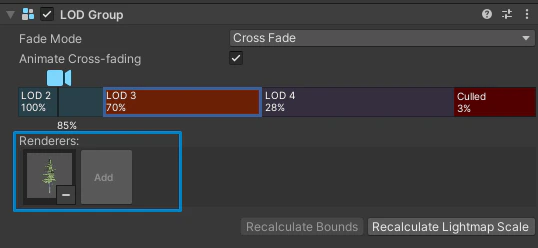
.shaderfiles, such as Shader Graph assets. Convert Shader Graph output to a.shaderfile before using automatic shader generation. - Multiple renderers inside one LOD level.
How it compares to Unity Terrain Trees
Unity Terrain Trees are convenient, but they are limited when a procedural placement tool needs direct object control. Terrain Object Renderer is built for workflows where you need to:- Move, spawn, and delete individual rendered objects.
- Use multi-threaded spawning.
- Query cells for overlap and placement checks.
- Raycast rendered instances and access the hit object.
- Keep Edit Mode responsive on large terrains.